How to Self Publish a Children's Book on Amazon KDP in 2026
Meta Title: How to Self Publish a Children’s Book on KDP (2026)
Meta description: Learn how to self publish a children’s book on Amazon KDP, from account setup and trim size to AI disclosure and royalties, step by step for 2026.
How to Self Publish a Children’s Book on Amazon KDP in 2026
Quick answer:
You self publish a children’s book on Amazon KDP by finalizing your manuscript and illustrations, formatting them to KDP’s picture-book specs, creating a free KDP account, disclosing any AI-generated content, and publishing. Most titles go live within 72 hours, and you can earn up to 60% royalty per paperback sale.
Introduction
What if the biggest obstacle between you and a published children’s book isn’t talent or luck but simply not knowing which buttons to click? The numbers suggest plenty of authors have figured it out. Self-published print and ebook titles in the United States jumped 38.7% in 2025, reaching more than 3.5 million releases, according to Bowker statistics reported by Publishers Weekly. Children’s fiction ranked among the top self-published categories that year, with 265,615 titles.
You’ve already decided Amazon KDP is your path. It means your next step is execution, not comparison shopping. If you’re still weighing KDP against other routes, our guide on publishing a children’s book and choosing a publishing path covers that decision in full. For everyone ready to move forward, this walkthrough covers every screen, every file spec, and every rule change that matters in 2026.
What you need before you start
You need three things before you self publish children’s book on KDP: a finished, edited manuscript, illustrations or a solid plan to get them made, and a free Amazon KDP account. Skipping any of these usually leads to rejected files or a book that looks unfinished next to traditionally published titles on the same shelf.
Before you upload anything, confirm you have:
- A manuscript that’s been through developmental and line editing, not just a spell check
- Final illustrations at print resolution, or a hired illustrator and a signed rights agreement
- A KDP account with tax information and payment details already on file
- A working title, back cover blurb, and target age range decided
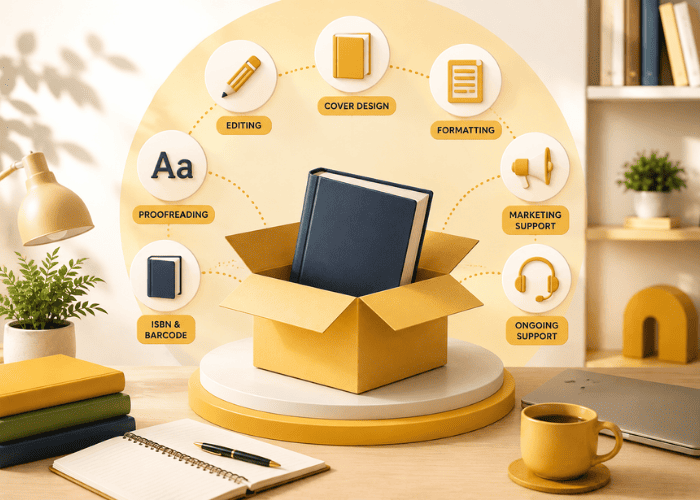
Editing and illustration are long projects on their own, and rushing either one can show up in reviews fast. Authors who want help coordinating editing, illustration, and formatting can also consider a book publishing service instead of managing each part separately.
If you’re considering an affordable editing service, it’s worth taking the time to find an editor who understands children’s books and your target age group. This guide, meanwhile, focuses on what KDP requires once you’re ready to publish.
How Much Does It Cost to Self Publish a Children’s Book?
Understanding your budget before you start prevents stalled projects halfway through production. KDP charges nothing to publish, but the production costs that come before uploading are real and vary widely depending on the quality level you choose.
|
Illustration (per page) |
$25 – $150 |
|
Professional Editing |
$300 – $800 |
|
Cover Design |
$150 – $500 |
|
ISBN (if self-purchased) |
$125 for a single ISBN |
|
KDP Publishing Fee |
Free |
A fully illustrated 32-page picture book with professional editing and cover design typically costs between $1,500 and $4,000 before a single copy is printed. Authors who skip professional editing or illustration to reduce costs often spend more fixing problems after negative reviews start coming in.
How to Find the Right Illustrator for Your Children’s Book
Finding the right illustrator is one of the most important decisions you will make before you self publish a children’s book. Your story and the illustrations need to feel like they belong together, so choosing someone whose style matches your vision matters more than simply finding the lowest price. Three reliable places to find professional children’s book illustrators:
Reedsy: vetted freelance illustrators with publishing experience
Fiverr Pro: affordable options with portfolio samples
99designs: competitive illustration briefs where multiple artists pitch
Before signing any agreement, confirm that you are purchasing full commercial rights to every illustration. A signed rights agreement protects your ownership of the artwork and prevents disputes over royalties or republishing later. Never begin illustration work without a written contract in place.
Why Amazon KDP makes sense for a children’s book
Amazon KDP is usually the first stop for anyone learning how to self publish a children’s book. Amazon already dominates online book buying, so a children’s book on Amazon sits in front of parents already shopping there, instead of waiting to be discovered somewhere else.
KDP also costs nothing to publish on, which matters when you’re weighing a DIY path against paid self publishing packages that charge thousands up front. If you’re researching how to publish a children’s book for free, KDP is one of the clearest options because there are no upfront publishing fees, although editing, illustration, and other production costs can still apply.
The platform’s pull comes down to a few concrete advantages:
- Free setup with no upfront printing costs, since paperbacks print on demand per order
- Paperback royalties up to 60% of list price, higher than most traditional publishing contracts pay
- Instant access to Amazon’s search results, category pages, and recommendation engine
- One dashboard handles the ebook, paperback, and hardcover editions of the same Amazon children’s book
Other platforms like IngramSpark reach more bookstores and libraries. Amazon still wins for a first title because a children’s book amazon gets discovered by everyday shoppers first, and that’s where most picture book sales actually happen.
How to Self Publish a Children’s Book on KDP: Step-by-Step
Once your manuscript, illustrations, and files are ready, the KDP process becomes much easier to manage when you follow the steps in order. From setting up your account and choosing the right format to uploading, pricing, and promoting your book, each stage affects how smoothly your children’s book reaches readers.
Step 1: Setting up your KDP account the right way
Setting up your KDP account correctly before your first upload saves you from redoing tax forms and imprint choices later, when changes get more complicated. Amazon requires every publisher to complete a tax interview during signup, which confirms your identity and sets your withholding rate for royalty payments.
Two choices matter more than most new authors realize:
- Publishing as an individual author versus creating a separate publisher or imprint name
- Filling in a real publisher name instead of leaving that field blank
Leave the publisher field empty and KDP automatically lists your book under “Independently Published,” a default imprint that experienced readers and some librarians recognize on sight. Registering your own imprint name, even something simple built from your author name. This gives your catalog a more professional look and makes it easier to build a backlist under one recognizable brand.
Getting your account structure right also determines how established your book looks the moment you know how to self publish a children’s book, well before a single reader opens it. Authors comparing book publishing services USA options should also check whether the provider helps with account setup or leaves the KDP administration entirely to the author. Complete the tax interview honestly, because incomplete tax information can delay or block your first royalty payment entirely.
Step 2: Choosing the right trim size and format on KDP
Trim size is one of the first real decisions you’ll face when you know how to self publish a children’s book on KDP, and it shapes how the finished book looks, feels in small hands, and how much it costs to print. Picture books usually work best as 8.5 by 8.5 inches or 8 by 10 inches, both of which give illustrators room for full-bleed art that runs to the very edge of the page.
Match your trim size to your reader’s age and format:
- 8.5 x 8.5 inches: the most common square format for picture books ages two to eight, and the largest square size KDP offers
- 8 x 10 inches: a taller option that suits books with more detailed, full-page scenes
- 6 x 9 or 5.5 x 8.5 inches: standard sizes for early readers and chapter books with fewer illustrations
- Full color interior with bleed for picture books, versus black and white, text-only interiors for early readers and chapter books
KDP also offers a hardcover option, which costs more per unit than paperback but appeals to buyers shopping for gifts or classroom sets. Full-bleed art needs an extra 0.125 inch of margin on every trimmed edge so nothing important gets cut off during printing, while text-only chapter books can skip bleed entirely and save on file prep time.
Word Count by Age Group
Trim size and format decisions connect directly to your target age group and word count. Publishing outside these ranges is one of the fastest ways to lose reader confidence and collect negative reviews from parents and educators who know what their age group expects.
|
Board Books (Ages 0–3) |
100 – 300 words |
|
Picture Books (Ages 3–8) |
500 – 800 words |
|
Early Readers (Ages 6–9) |
1,000 – 10,000 words |
|
Chapter Books (Ages 7–12) |
10,000 – 30,000 words |
A 32-page picture book targeting ages three to eight should never exceed 800 words. Authors who write 1,500 words and try to fit them into a picture book format end up with overcrowded pages, frustrated illustrators, and a reading experience that feels rushed rather than enjoyable.
Step 3: Preparing and uploading your files on KDP
Amazon gives you two free tools built for this exact job. Kindle Create formats standard text-based interiors, while Kindle Kids’ Book Creator handles picture books, letting you drag illustrations onto pages and add pop-up text bubbles for the Kindle edition.
Before you upload, get these numbers right:
- Interior images at 300 DPI or higher, saved as high-resolution JPEG or PDF
- A 0.125-inch bleed on every full-page illustration that runs to the trim edge
- Spine width calculated from your exact page count and paper type, since a wrong spine measurement shifts your entire cover layout.
- Cover files built at the precise wraparound dimensions KDP’s calculator generates for your trim size and page count
Convert Your Illustrations From RGB to CMYK Before Uploading
This is the single most common technical mistake children’s book authors make and one that no publishing guide explains clearly enough. Every digital screen displays color in RGB mode, which means your illustrations look vivid, bright, and saturated when you design them. KDP prints in CMYK, and the two color systems are not the same.
Bright reds become slightly muted. Vibrant blues shift toward grey. Neon colors that look stunning on your monitor simply cannot be reproduced in CMYK print and will appear noticeably duller in your physical proof copy.
Convert every illustration file from RGB to CMYK in Photoshop or your design software before exporting the final print-ready PDF. This single step prevents the most common and most disappointing surprise authors face when their first printed proof arrives and looks nothing like what they designed on screen.
KDP’s Print Previewer catches most formatting mistakes before children’s book self publishing, and it rejects a large share of first-time children’s book files for three repeat reasons: missing bleed, text or artwork sitting inside the safe margin instead of respecting it, and cover files that don’t match the calculated spine width.
Fixing any of these means re-exporting the file at the correct dimensions and running it back through the Previewer, which takes only a few minutes once you know what to check. If file preparation becomes difficult, self-publishing experts can help check bleed, margins, image resolution, and cover dimensions before you submit the book. Getting these files right the first time is what separates a smooth upload from a week of resubmissions when you’re trying to self-publish a children’s book on a deadline.
Step 4: Disclosing AI-generated content on KDP
KDP requires you to check a box disclosing AI-generated text, images, or translations whenever any of those appear in your finished book. Skipping that disclosure risks having your title pulled from sale, which matters even more if you’re self-publishing a children’s book that leans on AI-generated art or an AI translation.
Amazon draws a clear line between two categories:
- AI-generated content: any text, illustration, or translation that an AI tool produced first, even if you edited it heavily afterward
- AI-assisted content: work you wrote or drew yourself, where AI only helped with brainstorming, grammar checks, or refining something you already created
A children’s book built from AI-generated illustrations, an AI-written story, or an AI translation of your English text into Spanish requires you to check the disclosure checkbox. A book you wrote and illustrated yourself, then ran through an AI grammar checker or used AI to brainstorm plot ideas, needs no disclosure at all.
Answering honestly costs you nothing, since Amazon has stated the disclosure alone doesn’t affect rankings or royalties. Amazon can remove undisclosed AI content once it’s flagged, and repeated violations put an author’s entire publishing account at risk.
Step 5: KDP royalties explained: what you’ll actually earn
KDP pays two different royalty structures depending on format, and you need to know both before you self-publish a children’s book and set prices. Paperbacks earn 50% or 60% of list price minus printing costs, ebooks earn 35% or 70% of list price with no printing cost involved, and copies sold through Expanded Distribution outside Amazon earn 40% minus printing costs.
|
Format |
Royalty rate |
What determines the rate |
|
Paperback (Amazon.com) |
60% of list price minus printing cost |
List price of $9.99 or higher earns 60%; below that earns 50% |
|
Paperback (Expanded Distribution) |
40% of list price minus printing cost |
Applies to sales through bookstores, libraries, and retailers outside Amazon. |
|
Ebook |
70% of list price |
List price between $2.99 and $12.99 on Amazon.com, a band Amazon expanded in July 2026 |
|
Ebook (outside that price band) |
35% of list price |
Applies to books priced below $2.99 or above $12.99 |
|
Kindle Unlimited page reads |
Share of the monthly KDP Select Global Fund |
Roughly $0.004 to $0.005 per Kindle Edition Normalized Page read; requires KDP Select enrollment |
As a planning example, your 32-page picture book at 8.5 x 8.5 lists for $12.99. The 60% royalty equals $7.79. KDP’s printing cost for a 32-page premium color paperback runs roughly $4.60. Your per-sale earnings land near $3.19.
Run those numbers before setting a price. Comparing those figures with what premium book publishers charge can also help you decide whether handling production yourself makes financial sense. A $7.99 picture book pays 50% ($4.00) minus the same printing cost, leaving you $0.40 per copy. That’s not a business.
Step 6: Categories, keywords, and metadata for discoverability
KDP gives every book seven keyword fields and two BISAC category slots, and filling both out with real reader search terms is what gets a children’s book found instead of buried on page twelve. Vague keywords like “good book for kids” waste a field that could hold something a parent actually types into the search bar.
Strong metadata covers a few specific areas:
- Seven keyword phrases built around age, theme, and search intent, such as “bedtime story for toddlers” or “picture book about kindness”
- Two BISAC categories chosen for genuine relevance, not just the least competitive option available
- A series title and number if the book is part of one, set up through KDP’s series page feature
- An Author Central profile with a bio, photo, and every title linked together
- A+ Content added to the product page once your account qualifies, which lets you add extra images and formatted text next to your description.
Getting categories and keywords right takes longer than most authors expect once they self publish a children’s book, and it’s worth revisiting every few months as sales data and reader search terms shift.
Step 7: KDP Select vs. wide distribution for children’s books
KDP Select trades 90 days of ebook exclusivity for access to Kindle Unlimited and Amazon’s promotional tools, while going wide means selling your ebook on every platform at once with no exclusivity requirement. Paperback and hardcover editions are never part of this trade-off, since KDP Select restricts only the ebook file.
|
Factors |
KDP Select (exclusive) |
Wide distribution |
|
Ebook availability |
Amazon only, for renewing 90-day terms |
Amazon, Apple Books, Kobo, Barnes & Noble, and others at once |
|
Kindle Unlimited access |
Yes, readers borrow, and you earn per page read |
No, KU is exclusive to Select titles |
|
Promotional tools |
Free Book Days and Kindle Countdown Deals |
Depends on each platform’s own promotional tools |
|
Best fit |
New authors building an audience mostly on Amazon |
Authors with readers on multiple platforms or school and library goals |
|
Print editions affected |
No |
No |
A 32-page picture book generates about $0.14 per full KU read at current rates. That’s not a meaningful income stream. Chapter books and early readers with 100+ pages fare better in KU.
For broader reach, consider adding IngramSpark after establishing your KDP listing. It can open library and bookstore book distribution channels that KDP alone doesn’t cover, giving your children’s book more opportunities to reach readers beyond Amazon.
Step 8: The final upload: going live on KDP
Going live on KDP comes down to five steps once your files are ready- the final stretch before you actually self-publish a children’s book. Choose your format inside your KDP account, upload your interior manuscript and cover files, review everything in the Print Previewer, set your price and royalty option, then submit for publishing.
The click path looks like this in practice:
- Sign in to your KDP account and select “Create a new title”
- Choose paperback, ebook, or hardcover, repeating the process for each format you want live
- Upload your formatted interior file and your cover file separately
- Review every page in the online Print Previewer, checking bleed, margins, and spine alignment
- Set your list price, confirm your royalty option, and submit for review
Amazon typically reviews and publishes a new title within 72 hours. However, illustrated children’s books sometimes take a little longer because the review team checks image quality and content guidelines more closely than it does for plain-text books.
Step 9: Growing sales on Amazon after you publish
Getting your book live is the start, not the finish, and Amazon offers native tools to grow sales once you self-publish a children’s book and readers start finding it. Sponsored Products ads let you bid on keywords a parent might search, putting your book in front of shoppers already looking for something similar.
Once your book is live, focus on:
- Running a small Sponsored Products campaign targeting your book’s own keywords and a few comparable titles
- Monitoring Amazon reviews, since a handful of thoughtful reviews from real readers moves a children’s book’s ranking more than almost anything else
- Getting your title added to Amazon Kids+, which puts it in front of families already paying for a kids’ content subscription
- Watching your sales dashboard for the first 30 days and adjusting keywords or category placement if a title isn’t getting impressions
Post-launch edits are allowed anytime, so fixing a typo or updating your cover after a lukewarm review doesn’t require starting over. If you need help with promotion beyond Amazon, a marketing service for self published authors can help coordinate efforts such as TikTok content, school visits, and outreach to parenting influencers while you stay focused on writing your next book.
Add Backmatter to Reach School and Library Buyers
Most children’s book authors focus entirely on the story and completely ignore what comes after the last page. Backmatter — the pages that follow your story’s ending — is one of the most underused tools for expanding your book’s reach beyond Amazon into schools and libraries, where bulk buying decisions are made by educators, not individual parents.
Effective backmatter for a children’s picture book includes:
A short author note explaining the story’s inspiration or message
Discussion questions designed for classroom or group reading
A simple activity page or creative exercise connected to the theme
A glossary for books that introduce new vocabulary or concepts
Books with educational backmatter are significantly more likely to be selected for classroom reading lists, school book fairs, and library collections. These channels deliver bulk orders that a single Amazon sale never matches, and they cost nothing extra to include before you hit publish.
Top KDP-Specific Mistakes Authors Must Avoid In 2026
The fastest way to derail a plan to self-publish a children’s book is picking the wrong trim size for your age group, and it’s far from the only mistake that trips up first-time authors. Small platform errors cost real time once a book is uploaded and in review.
Know these specific missteps:
- Choosing a trim size built for novels instead of the square or near-square formats picture books need
- Skipping the AI disclosure question or answering it incorrectly, which risks a takedown later
- Publishing under a personal legal name instead of registering a proper imprint or pen name
- Ignoring Print Previewer warnings about bleed or margins, then discovering the problem in a printed proof copy
- Pricing a paperback below KDP’s calculated minimum list price, which Amazon simply won’t let you publish at
Every one of these mistakes is fixable before you hit publish, which is exactly why the Print Previewer and the pricing calculator exist. Knowing them at this stage costs a few extra minutes. Fixing them after a bad review or a blocked title costs a lot more.
How to Self Publish a Children’s Book: The KDP Checklist
Every step from this guide fits into one scannable list, useful right before you self-publish a children’s book for the first time.
Before you upload
- Manuscript fully edited and proofread
- Illustrations finished, or an illustrator under contract
- Trim size chosen and locked in
- KDP account created with the tax interview completed
File prep
- Interior formatted in Kindle Create or Kindle Kids’ Book Creator
- Images at 300 DPI or higher with correct bleed
- Cover built at the exact wraparound dimensions for your trim size and page count
- AI disclosure question answered honestly
Metadata and pricing
- Seven keyword fields filled with real search terms
- Two BISAC categories chosen for relevance
- List price set above KDP’s calculated minimum
- KDP Select or wide distribution decision made
Before you publish
- Every page reviewed in the Print Previewer
- A physical proof copy ordered and checked
- Author Central profile set up
- Sponsored Products campaign planned for launch week
Conclusion
Understanding how to self publish a children’s book on KDP in 2026 is more achievable than most first-time authors expect. The platform handles printing, distribution, and delivery while you focus on story and art. Trim size, metadata, and honest AI disclosure decide whether your book finds readers or disappears in search results.
Royalties reward careful pricing, and Amazon’s ad tools give new titles a real chance at visibility. Every step in this guide exists because skipping it costs authors time, money, or account standing.
When DIY publishing feels heavier than expected, [Brand name] offers children’s book publishing support built around clear, upfront pricing. No hidden fees, no vague packages. Just honest help with editing, illustration, formatting, and launch so your story reaches the kids who need it.
FAQs
How long does KDP take to approve a children’s book?
Most titles go live within 72 hours of submission, though illustrated children’s books can take a little longer since reviewers check image quality and content guidelines closely.
Can I edit or republish my book after it’s live on KDP?
Yes, you can update your file, cover, price, or description anytime after publishing, and the changes go through a shorter review before going live again.
Do paperback and ebook editions need separate ISBNs on KDP?
Yes, Amazon assigns one free ISBN per format if you don’t already own one, so your paperback and ebook each need their own registered edition.
What happens if I don’t disclose AI content on KDP?
Amazon can remove your book from sale for undisclosed AI-generated content, and repeated violations put your entire publishing account at risk.
Can I publish on KDP and IngramSpark at the same time?
Yes, print books can go wide through IngramSpark while your Amazon paperback and ebook stay on KDP, though an ebook usually needs to leave KDP Select first if it’s enrolled.
What size should a children’s picture book be on KDP?
Most picture books use 8.5 by 8.5 inches or 8 by 10 inches, both sized for full color, full-bleed illustrations.