Finding a free book writing app for beginners can make your first book much easier to write. The best choice depends on whether you need a simple writing space, tools to organize chapters, help planning a novel, or features to format your manuscript for publishing. You can start with free software without investing in an expensive writing program.
Google Docs is a practical starting point for beginners who want simple writing and collaboration. Reedsy Studio is a strong option for writing and formatting a book, while yWriter and Manuskript are useful for writers who need more structure for fiction projects. The right choice depends on your writing style, device, and publishing goals.
7 Best Free Book Writing Apps for Beginners
The following tools offer different ways to write, organize, and prepare a book. Some focus on straightforward drafting, while others provide specialized features for outlining novels or formatting manuscripts.
1. Google Docs — Best for Simple Writing and Collaboration
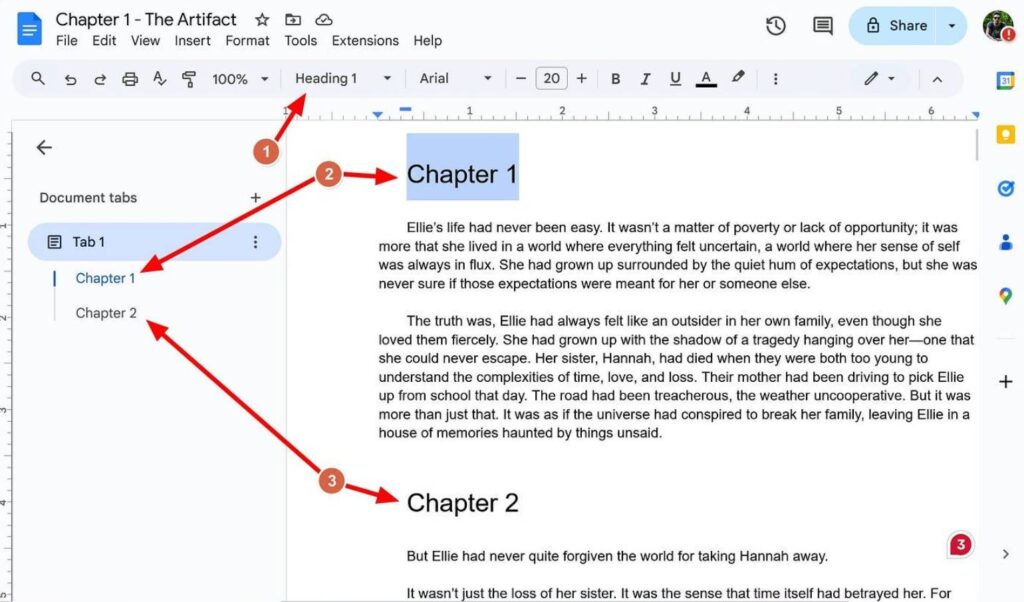
Google Docs is an easy place to start if you have never written a book before. Its familiar document editor lets you write chapters, add headings, correct mistakes, and share your manuscript with an editor or writing partner.
You can create a separate document for each chapter or keep your manuscript in one document with organized headings. This makes Google Docs suitable for beginners who want to focus on writing rather than learning complicated software.
Key features:
- Automatic saving and cloud-based access.
- Comments and suggestions for editing.
- Document sharing and collaboration.
- Access across computers and mobile devices.
- Offline editing when configured and supported.
Pros:
- Easy to learn and use.
- Free for personal use.
- Useful for collaborative writing and feedback.
- Supports common document formats.
Cons:
- Limited specialized tools for organizing complex plots.
- Character and scene planning require separate notes or documents.
- Book formatting may require additional work.
Best for: First-time authors, nonfiction writers, students, and anyone who wants to start writing immediately.
Get started: https://docs.google.com/
2. Reedsy Studio — Best for Writing and Formatting a Book
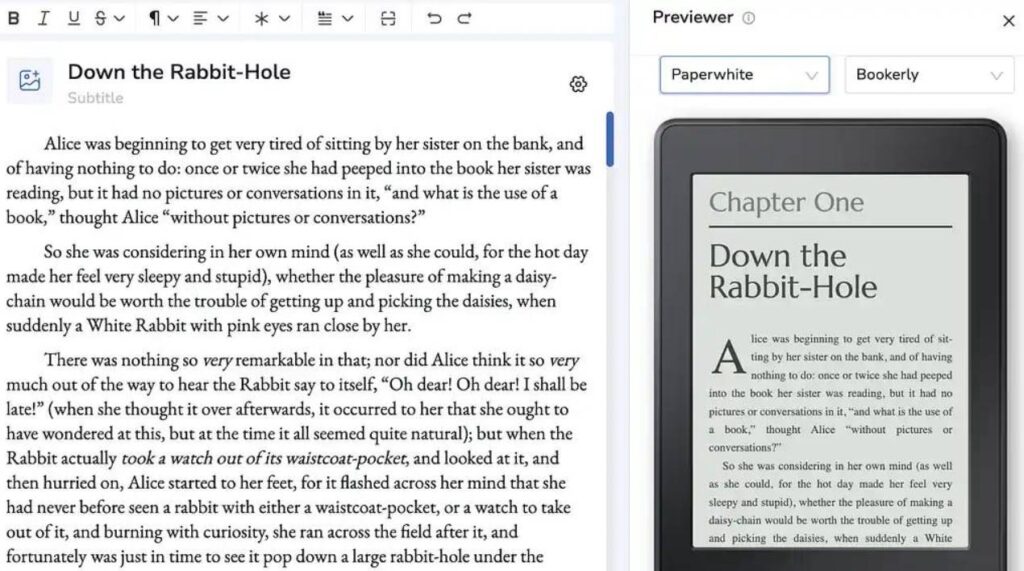
Reedsy Studio is designed specifically for authors. It combines manuscript drafting, chapter organization, and book formatting in one workspace.
Instead of finishing your manuscript in one app and searching for another formatting tool, you can organize your book as you write. Reedsy Studio supports export to EPUB for ebooks and PDF for print-oriented publishing.
Key features:
- Organize manuscripts into sections and chapters.
- Import existing drafts.
- Set writing goals and monitor progress.
- Format books for digital or print distribution.
- Export files in EPUB and PDF formats.
Pros:
- Designed for book projects.
- Combines writing and formatting in one place.
- Useful for preparing a manuscript for publication.
- Offers core writing and formatting features without a subscription.
Cons:
- Some advanced features may require paid add-ons.
- Its browser-based workflow may not suit everyone.
- Authors should check device and internet requirements before starting.
Best for: Beginners who want to write a book and prepare a formatted manuscript without purchasing separate formatting software.
Get started: https://reedsy.com/studio/
3. Novlr — Best for a Focused Online Writing Experience
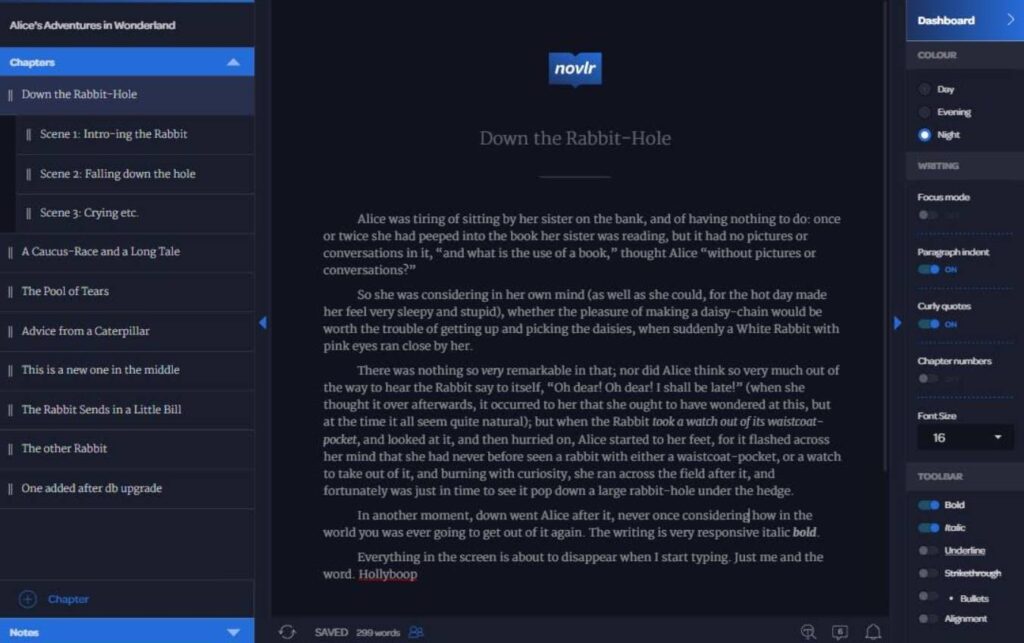
Novlr is a book-focused writing platform that helps authors develop a consistent writing routine. Its writing environment, progress tracking, and planning features can help you work on a book regularly instead of treating it like an ordinary document.
The free plan includes two projects, according to Novlr’s published plan information. This can be enough for a beginner working on one main book and a second project.
Key features:
- A focused writing environment.
- Chapter and manuscript organization.
- Writing goals and progress tracking.
- Online synchronization.
- Notes and planning features.
Pros:
- Designed for long-form writing.
- Helps authors monitor their writing progress.
- Provides a dedicated workspace for book projects.
Cons:
- The free plan limits the number of projects.
- Some features, including EPUB export, may require a paid plan.
- Its online workflow may not suit writers who prefer fully offline software.
Best for: Beginners who want a dedicated online space for developing a novel or another long-form writing project.
Get started: https://www.novlr.org/
4. yWriter — Best for Organizing a Novel into Scenes
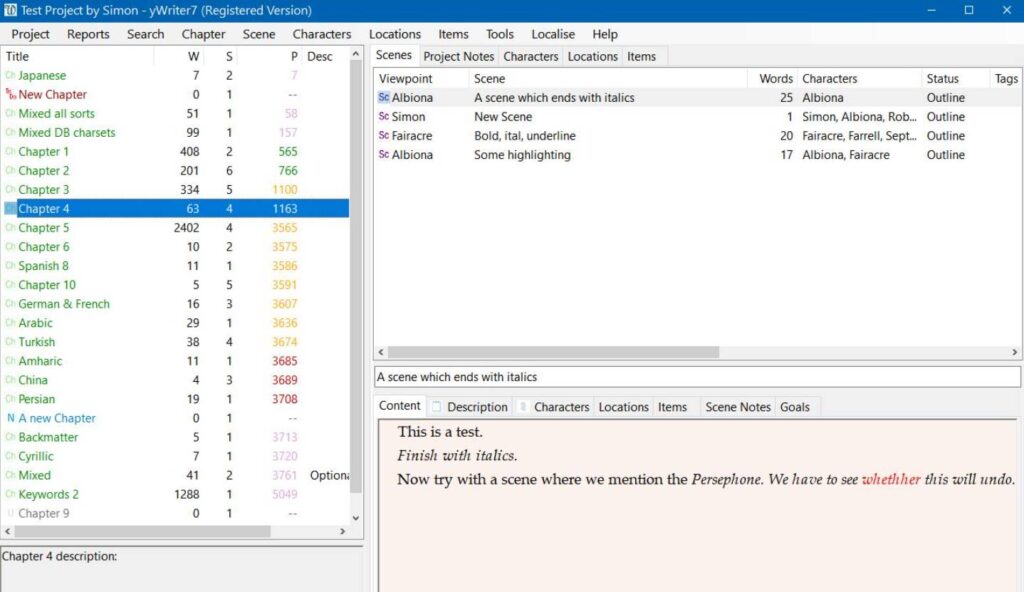
Writing a novel can become difficult when you have multiple characters, locations, plotlines, and scenes to manage. yWriter helps you break a manuscript into smaller parts, making it easier to understand how the story fits together.
The software organizes novels into chapters and scenes and lets writers track important details about their stories.
Key features:
- Chapter and scene management.
- Character and location tracking.
- Scene reordering.
- Word-count tracking and progress logs.
- Backup features.
Pros:
- Designed around the needs of novelists.
- Makes complex stories easier to organize.
- Helps writers manage scenes and characters.
- Available as free software for Windows.
Cons:
- Its structured interface may feel complicated at first.
- It is less suitable for people who only need a basic text editor.
- Platform availability should be checked before downloading.
Best for: Fiction writers who need to organize complex plots rather than write everything in a single document.
Get started: https://www.spacejock.com/yWriter7.html
5. Manuskript — Best for Planning and Outlining Fiction
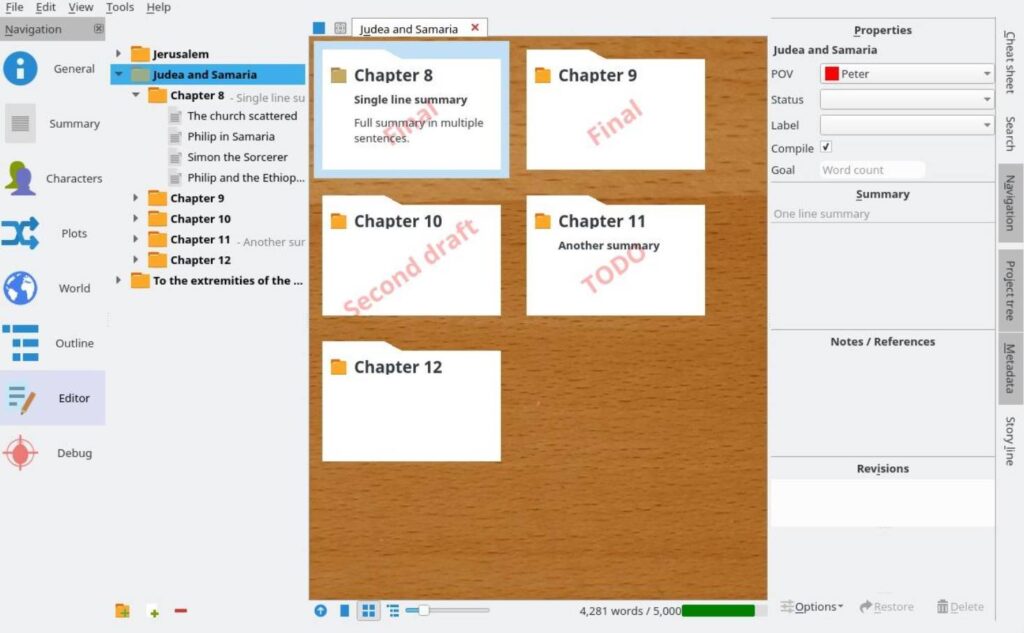
Manuskript is a free, open-source writing tool for authors who prefer to plan their books before drafting them. It supports outlining, character development, plot planning, and the organization of chapters and scenes.
It can be particularly useful when you have an idea for a novel but are unsure how to turn that idea into a complete story.
Key features:
- Outline and index-card views.
- Character and world-building notes.
- Chapter and scene organization.
- Distraction-free writing mode.
- Import and export options.
Pros:
- Free and open source.
- Useful for planning complex stories.
- Helps organize characters, plots, and chapters.
- Offers more structure than a basic word processor.
Cons:
- The number of planning options can create a learning curve.
- Its interface may feel less streamlined than browser-based writing apps.
- It may be more complicated than necessary for short or straightforward books.
Best for: Beginners writing fiction who want a structured plan, detailed character notes, and control over their stories.
Get started: https://github.com/olivierkes/manuskript
6. LibreOffice Writer — Best Free Desktop Word Processor
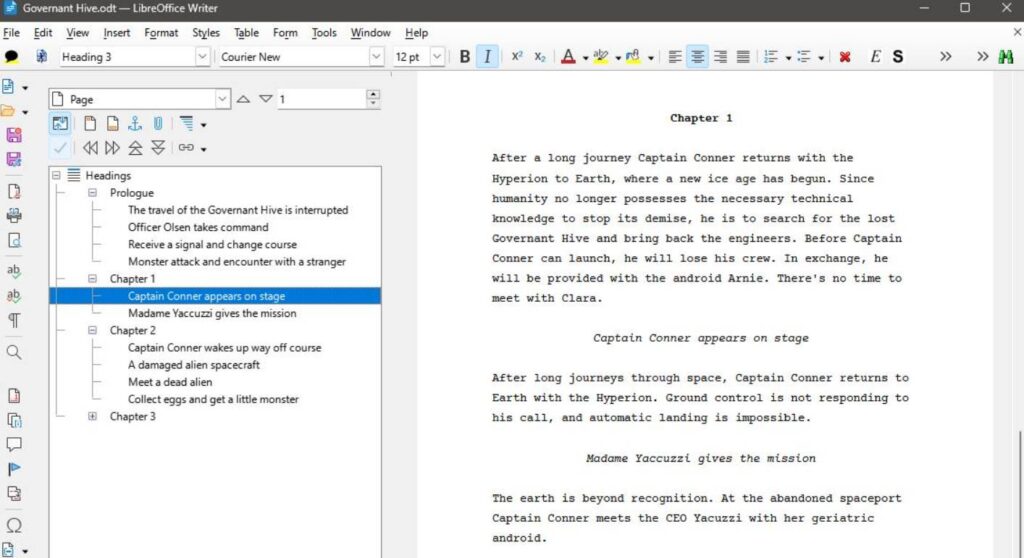
LibreOffice Writer is a full-featured word processor that can handle long manuscripts, reports, novels, and nonfiction books. It is a good choice if you prefer working on your computer without relying on a subscription-based writing platform.
Its formatting tools help you organize headings, page layouts, and document styles. These features are useful when you want more control over the appearance of your manuscript.
Key features:
- Long-document writing and formatting.
- Styles and headings for chapter organization.
- Local document storage.
- Support for common document formats.
- Free, open-source software.
Pros:
- No subscription is required.
- Suitable for long manuscripts.
- Offers extensive document formatting options.
- Supports offline writing.
Cons:
- Does not provide the specialized scene-planning features of novel-writing software.
- Research and character notes may need separate documents.
- Its many formatting options can take time to learn.
Best for: Authors who prefer offline desktop writing, local files, and control over document formatting.
Get started: https://www.libreoffice.org/
7. FocusWriter — Best for Distraction-Free Drafting
Sometimes the biggest challenge is not choosing a book-writing app but staying focused long enough to finish a chapter.
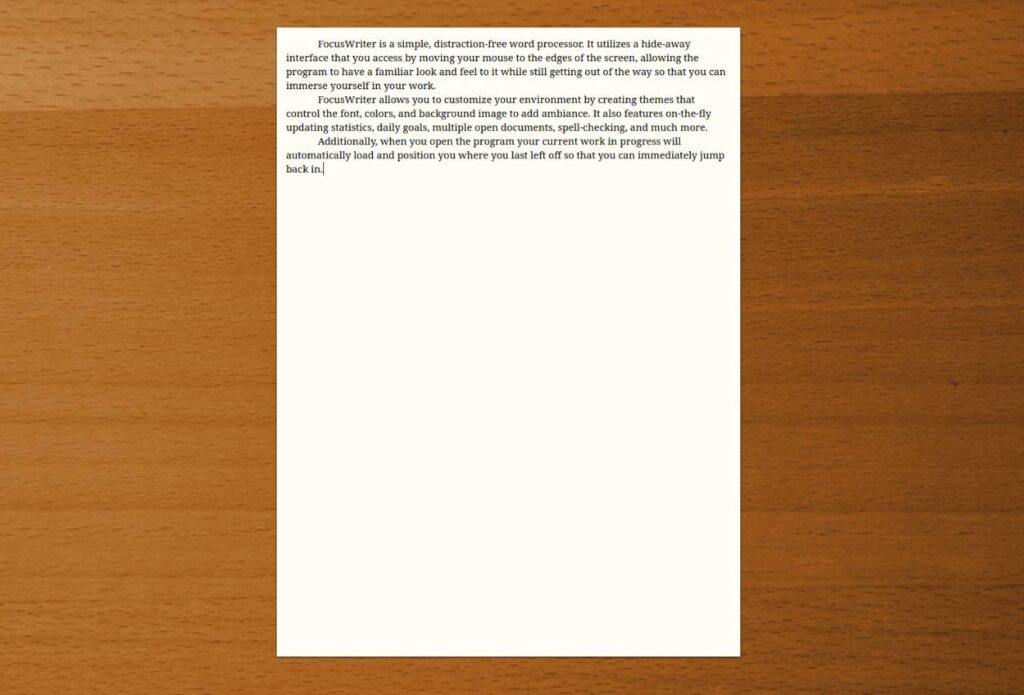
FocusWriter keeps the writing interface simple by hiding many controls until you need them. It also offers writing goals, live statistics, themes, and spell-checking.
Key features:
- A distraction-free writing interface.
- Daily writing goals and statistics.
- Multiple open documents.
- Customizable backgrounds and themes.
- Local writing files and a simple editing workflow.
Pros:
- Helps minimize on-screen distractions.
- Free and open source.
- Useful for maintaining a writing routine.
- Suitable for focused drafting sessions.
Cons:
- Limited tools for organizing complex books.
- Does not replace dedicated book-formatting software.
- Research and story planning may require separate tools.
Best for: Beginners who already have a book outline and want a simple environment to write without distractions.
Get started: https://gottcode.org/focuswriter/
Compare the Best Free Book Writing Apps at a Glance
Choosing between writing apps is easier when you compare their main purposes and limitations.
| App | Best Use | Free Access | Main Limitation |
|---|---|---|---|
| Google Docs | Simple drafting and collaboration | Free personal version | Limited book-specific organization |
| Reedsy Studio | Writing and book formatting | Core features free | Some advanced features cost extra |
| Novlr | Focused online writing | Free plan available | Project and feature restrictions |
| yWriter | Fiction and scene management | Free Windows version | More complex interface |
| Manuskript | Outlining and story planning | Free and open source | Learning curve |
| LibreOffice Writer | Desktop writing and formatting | Free and open source | Limited specialized planning |
| FocusWriter | Distraction-free drafting | Free and open source | Limited book-production features |
Important: Free does not always mean every feature is free. Check the current plan, export restrictions, supported devices, and storage options before moving your entire manuscript into a tool.
How to Choose the Right Book Writing App for Your Needs
The best free book writing app is the one that supports your writing habits without making the process harder. Consider these four factors before making your decision.
Choose Based on Your Book Type
Different books need different tools.
- Novels and fiction: Choose yWriter or Manuskript if you need to organize characters, scenes, and plotlines.
- Nonfiction books: Google Docs or LibreOffice Writer can work well for guides, business books, and educational content.
- Books ready for publication: Consider Reedsy Studio if you want to draft and format your manuscript in one place.
- Short books or first drafts: Google Docs or FocusWriter may be all you need.
You do not need specialist software just because you are writing a book. A simple tool can be enough if your manuscript has a straightforward structure.
Check Device Compatibility and Offline Access
Think about where you will do most of your writing. A browser-based tool may suit you if you switch between devices, while desktop software may be better if you prefer local files and offline work.
If you plan to write on your phone, check whether the service has a dedicated mobile app or only a mobile-friendly website. Also, confirm whether offline access is available and whether you need to enable it before disconnecting from the internet.
Look at Export Options Before You Start
Your manuscript may eventually need to become an ebook or a print-ready document.
Check whether your chosen tool can export the formats you need, such as DOCX, EPUB, or PDF. For example, Reedsy Studio supports EPUB and PDF export, while Amazon Kindle Direct Publishing provides its own manuscript preparation guidance.
Choosing software with suitable export options can save time when you move from writing to publishing.
Check Which Features Are Free
Some writing apps offer free access to their basic editor but charge for advanced features, additional projects, or certain export options.
Before committing, ask yourself:
- Can I write the entire book without paying?
- Can I back up or download my work?
- Will I need to pay to export the finished manuscript?
- Can I move my writing to another tool later?
Practical tip: Test your preferred app with one complete chapter before writing your entire book in it. This helps you identify problems early.
Can You Write a Whole Book for Free?
Yes, you can write an entire book without paying for writing software. Free tools such as Google Docs, LibreOffice Writer, and Manuskript provide ways to draft and organize a complete manuscript, while Reedsy Studio offers core writing and formatting features at no cost.
However, writing a book and publishing a book are two different tasks.
You may still need to spend money on professional editing, cover design, illustrations, marketing, or other services. These costs depend on your goals and the level of support you want.
If your budget is limited, start by completing your manuscript with free tools. Once the draft is finished, decide which additional services are genuinely necessary.
How to Start Writing Your First Book for Free
You do not need an expensive app or a perfect plan to begin. Follow these six steps to start your first book.
Step 1: Choose One Writing App
Start with Google Docs for simplicity or Reedsy Studio if you want a book-focused workspace. Avoid installing several apps at once because switching between them can slow your progress.
Step 2: Create Your Book Project
Add a working title, a short description, and the main purpose of your book. You do not need to finalize the title before you begin writing.
Step 3: Make a Simple Chapter Outline
Write down the main ideas you want to cover. Fiction writers can outline scenes and characters, while nonfiction writers can list the questions each chapter will answer.
Step 4: Set a Realistic Writing Goal
Try writing 300 words a day. At that pace, 30 writing days would produce 9,000 words before revisions.
Your target should fit your schedule. Consistent progress is more useful than setting an unrealistic goal and abandoning it after a few days.
Step 5: Draft First, Then Edit
Focus on getting your ideas onto the page. Review sentence structure, grammar, and chapter flow after you have a draft to work with.
You can make improvements as you go, but avoid spending too much time perfecting the first paragraph while the rest of the book remains unwritten.
Step 6: Back Up Your Manuscript
Keep a second copy of your work and test your export options. Do not rely on a single account or device to protect your book.
Regular backups can help you avoid losing important chapters if you encounter a technical problem.
What to Know Before Publishing Your Book
Finishing your manuscript is an important milestone, but you may need to prepare it for the publishing platform you choose.
- EPUB: Commonly used for ebooks and supported by Amazon KDP and other ebook distributors, subject to their formatting requirements.
- PDF: Useful for fixed-layout documents and print interiors when prepared to the publisher’s specifications.
- DOCX: A common editable manuscript format that can be useful when working with editors or preparing files for publication.
Amazon Kindle Direct Publishing accepts EPUB for ebooks and supports several manuscript formats for print books. Its official guidance explains how to prepare files and check formatting before submission.
Before publishing, proofread the manuscript, check the table of contents, review page or ebook formatting, and follow the submission requirements of your chosen platform.
Remember that writing software prepares your manuscript; it does not guarantee publication, sales, or reader demand.
Frequently Asked Questions
What Is the Best Free App for Writing a Book?
Google Docs is a practical choice for beginners who want a simple, accessible writing tool. Reedsy Studio is a strong option if you also want book-specific formatting features, while Manuskript suits writers who need detailed planning tools.
Can I Write a Whole Book for Free?
Yes. You can draft a complete book using free writing software such as Google Docs, LibreOffice Writer, or Manuskript. Additional expenses may arise if you choose professional editing, cover design, or paid publishing services.
Which Writing App Is Easiest for Beginners?
Google Docs is a good starting point because its interface is familiar and straightforward. If you want a dedicated book-writing environment with chapter organization and formatting, try Reedsy Studio.
Is Google Docs Good for Writing a Book?
Yes. Google Docs can handle a complete manuscript, headings, comments, and collaboration. However, writers managing complex plots or large amounts of character and scene information may prefer a specialized tool such as yWriter or Manuskript.
What Is the Best Free App for Writing a Novel?
The best option depends on how you work. Google Docs is suitable for straightforward drafting, yWriter helps organize chapters and scenes, and Manuskript offers more extensive outlining and story-planning features.
Which Free App Can Format a Book for Publishing?
Reedsy Studio is a useful option because its core features include formatting and export to EPUB and PDF. You should still review the requirements of your intended publishing platform before submitting the files.
Final Thoughts
The best free book writing app for beginners is not necessarily the one with the most advanced features. It is the one that helps you start writing, organize your ideas, finish your manuscript, and prepare it for the next stage.
Start with Google Docs if you want simplicity, choose Reedsy Studio for book writing and formatting, or explore yWriter and Manuskript if you are developing a complex novel.
Try one tool with a real chapter, check its limitations, and focus on finishing your book before investing in additional software.